How to Export Your ItsDeductible Data from Intuit

Charity Record
charityrecord.com/Intuit ItsDeductible shut down on October 21, 2025. If you had an account, your donation history is still available through Intuit's data export process - but you'll need to request it first.
This guide walks you through requesting your data, finding your ItsDeductible files in the download when it is ready, and importing the spreadsheet into Charity Record.
Before you start: If you don't have one yet, you'll need a free Charity Record account to import your data. Create your account here then come back after you verify your email - it only takes a minute.
Step 1: Request Your Data from Intuit
Go to Intuit's Login page and sign in with the same account you used for ItsDeductible.
- Click Data & privacy in the left sidebar (if not already selected)
- Under "Data privacy," click Download
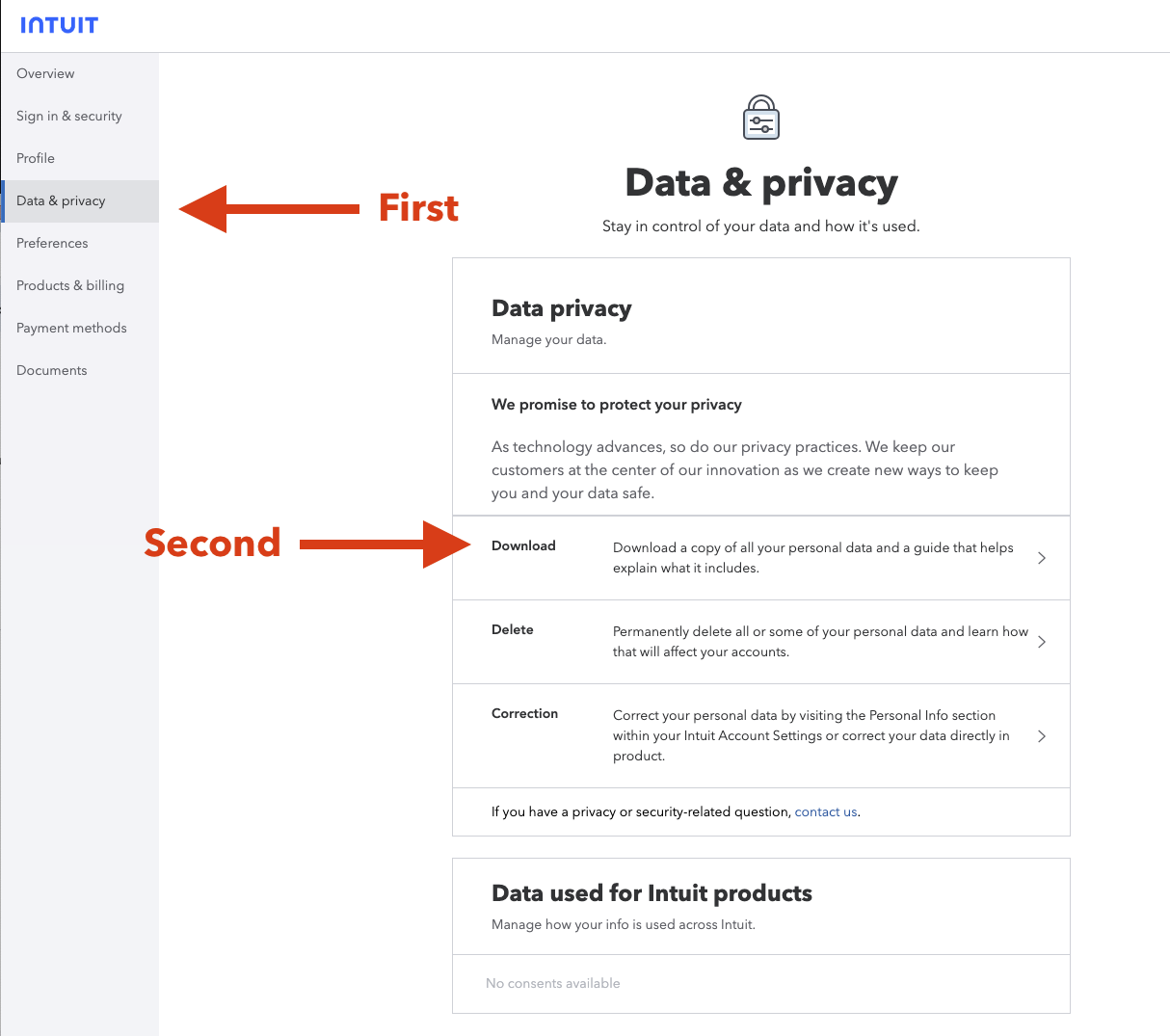
Click Data & privacy, then Download
Intuit will send a confirmation email, which will look something like this:
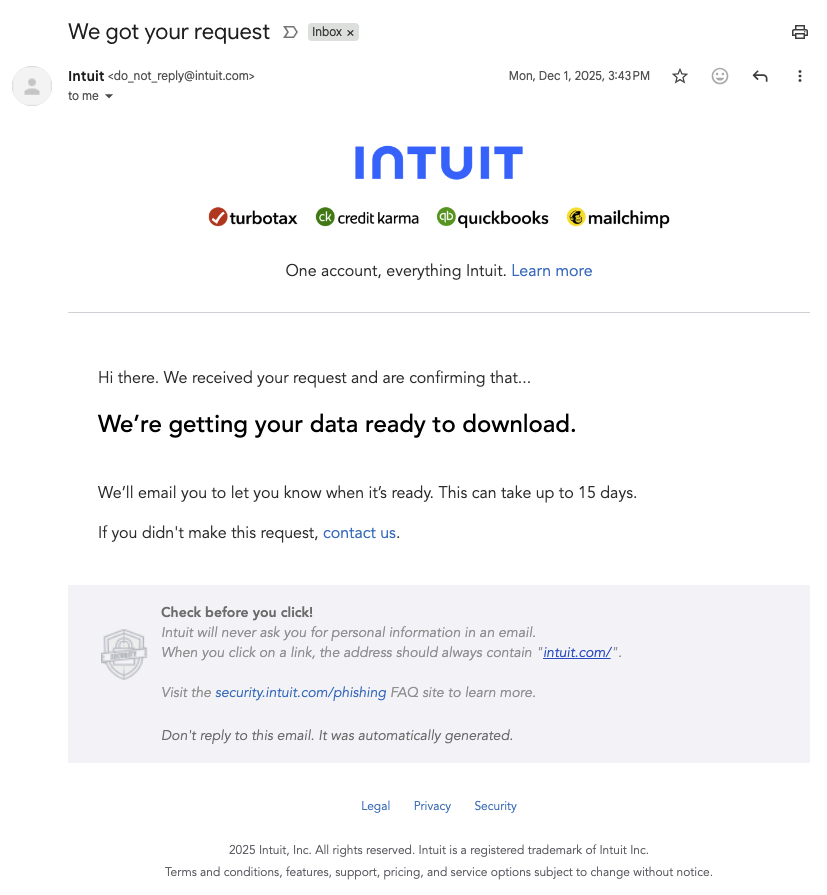
You'll receive this confirmation email after requesting your data
You will need to wait for your data to be ready. Note: This can take up to 15 days. Move onto the next step when it is ready. (Intuit only allows one request at a time.)
Step 2: Download When Ready
When your data is ready, Intuit emails you a download link. (In our experience, it took 4 days, but they do caution you to wait up to 15.)
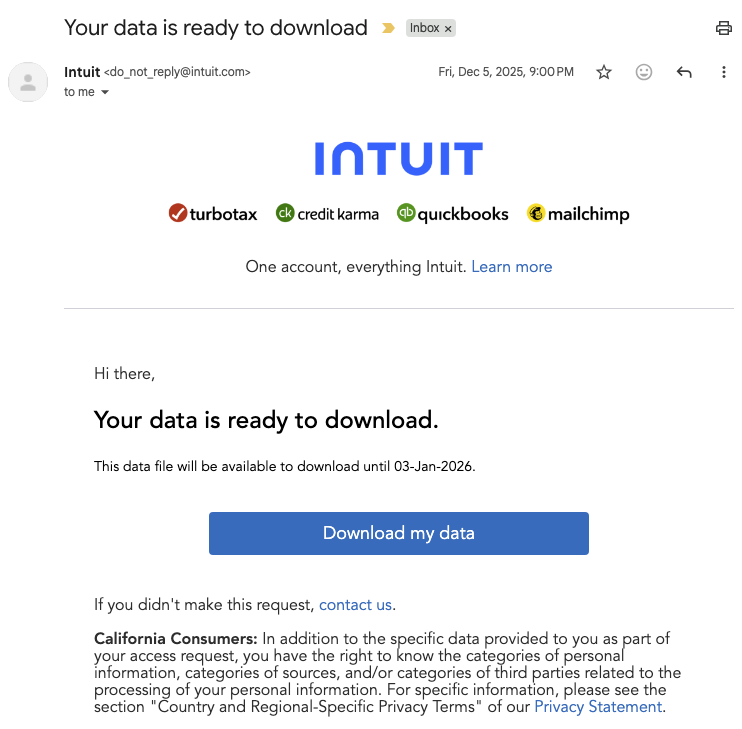
The email will tell you how long the download link is valid
Click Download my data in the email. You'll get a ZIP file containing all your Intuit data.
Step 3: Find Your ItsDeductible Files
Unzip the download. The ZIP contains folders for all your Intuit products - look for the ItsDeductible folder. The path is:
[Your Download] → SharedData → ItsDeductible → ItsDeductibleOnline.xlsx
Inside the ItsDeductible folder you'll find:
ItsDeductibleOnline.xlsx- Your donation data_ItsDeductible_DownloadGuide.txt- Intuit's explanation of the file
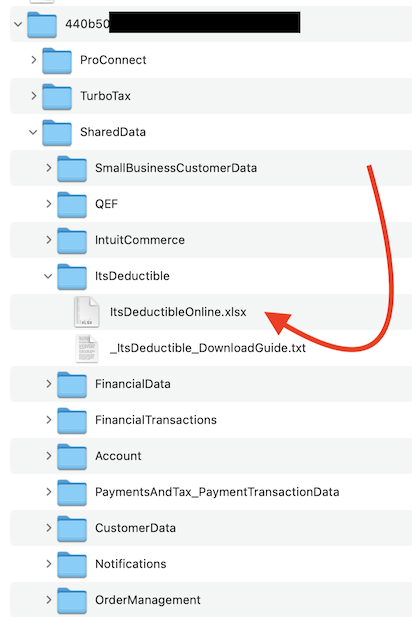 Your ItsDeductible data is in the ItsDeductible folder
The XLSX file contains all your donation history - items, cash, mileage, and stock donations across all years.
Step 4: Import into Charity Record
Charity Record supports direct import of the ItsDeductibleOnline.xlsx file from Intuit's data export.
- Go to charityrecord.com/app/import/
- Drop your
ItsDeductibleOnline.xlsxfile (or the individual CSVs if you have them) - Preview your data - we'll detect the donation types and years automatically
- Click Import Now to confirm
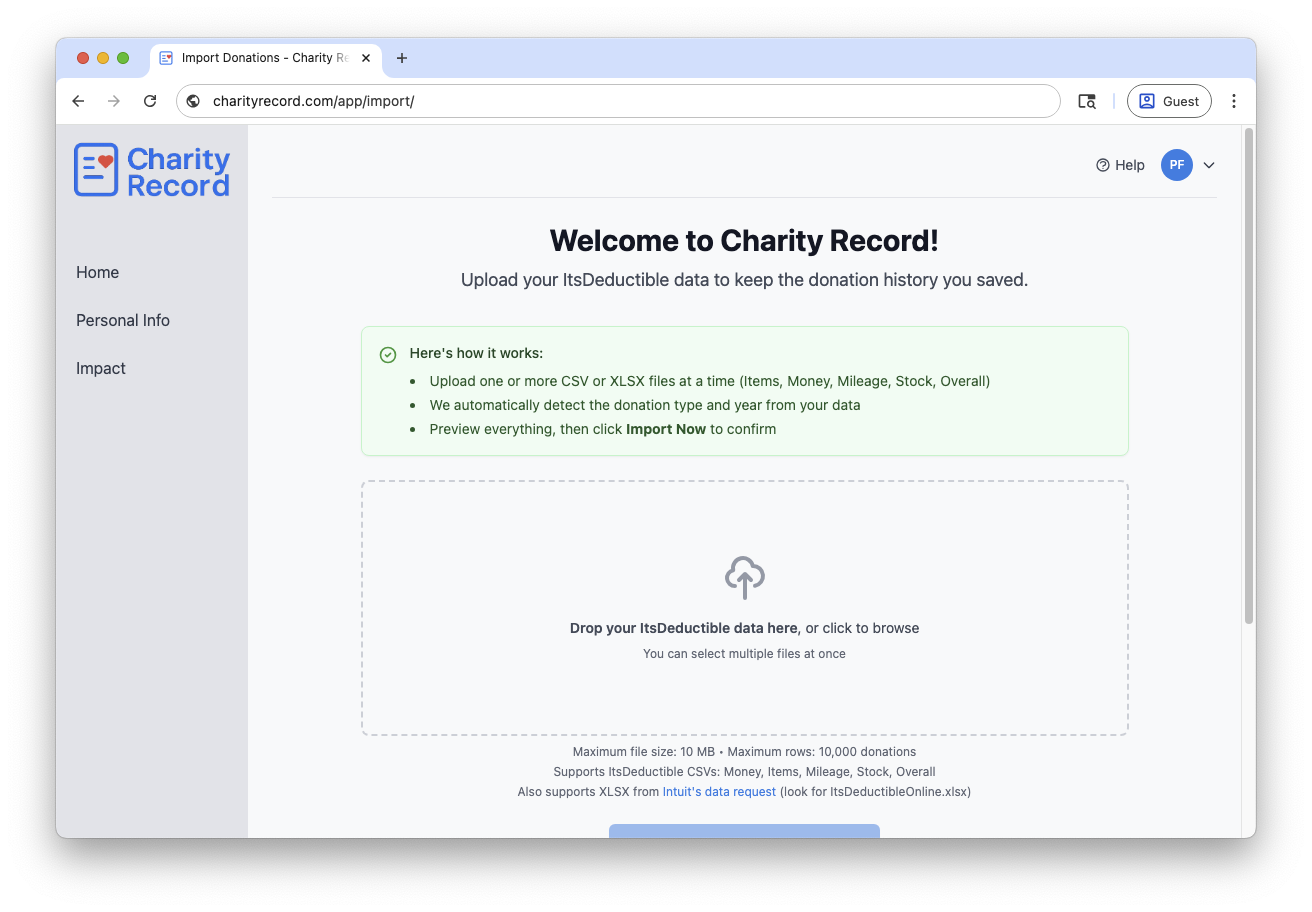
Drop your file, then check the preview before importing
Have older CSV exports? If you downloaded your data before the shutdown using ItsDeductible's original export feature, we support those too - Items, Cash, Mileage, Stock, and Overall CSVs all work.
Troubleshooting
Can't log in to Intuit? Try resetting your password at accounts.intuit.com. Check old TurboTax receipts or ItsDeductible emails if you've forgotten which email you used. You can also use Intuit's Help me find my data option.
Don't see the ItsDeductible folder? Make sure you're logged into the same Intuit account you used for ItsDeductible. If you used TurboTax to import your ItsDeductible data in years past, it's likely the same account.
Data looks wrong after import? We're happy to help troubleshoot. There is a dialog in the import screen that will show you what we've detected, and you can decide if you'd like to import the valid data, or submit a redacted version to support. We'll be happy to help you out!
Keep Your Data Safe
Your donation records are important for taxes. The IRS generally recommends keeping records for at least 3 years from the filing date, and longer in some situations. See IRS Topic 305 for details.
Even after importing to Charity Record, keep your original Intuit download as a backup.
Ready to import your donation history? Create your free account and get started in minutes.
Charity Record is not affiliated with, endorsed by, or sponsored by Intuit. We built Charity Record to give ItsDeductible users a new home for their donation records.
About Charity Record
The Charity Record Team
Ready to track your donations?
Create a free account and start organizing your charitable giving for tax time.
Create Free AccountFree up to $500 in donations. No credit card required.