How to Track Item Donations (Without Losing Work)

Charity Record
charityrecord.com/If you're donating household goods or clothing to charity, you're doing something that matters.
But recording those item donations for your taxes? That part can feel like homework. You already did the hard part by giving – you shouldn't have to worry about losing your list (or your dog eating it) halfway through.
That's why we built Charity Record with simple item entry and autosave. Log your items quickly, and when life interrupts, pick up right where you left off.
I absolutely needed autosave. Trying to do item donations with the kids is unpredictable. They always run in with some 'emergency'.
— Alpha Tester #1 (who happens to be married to our developer!)
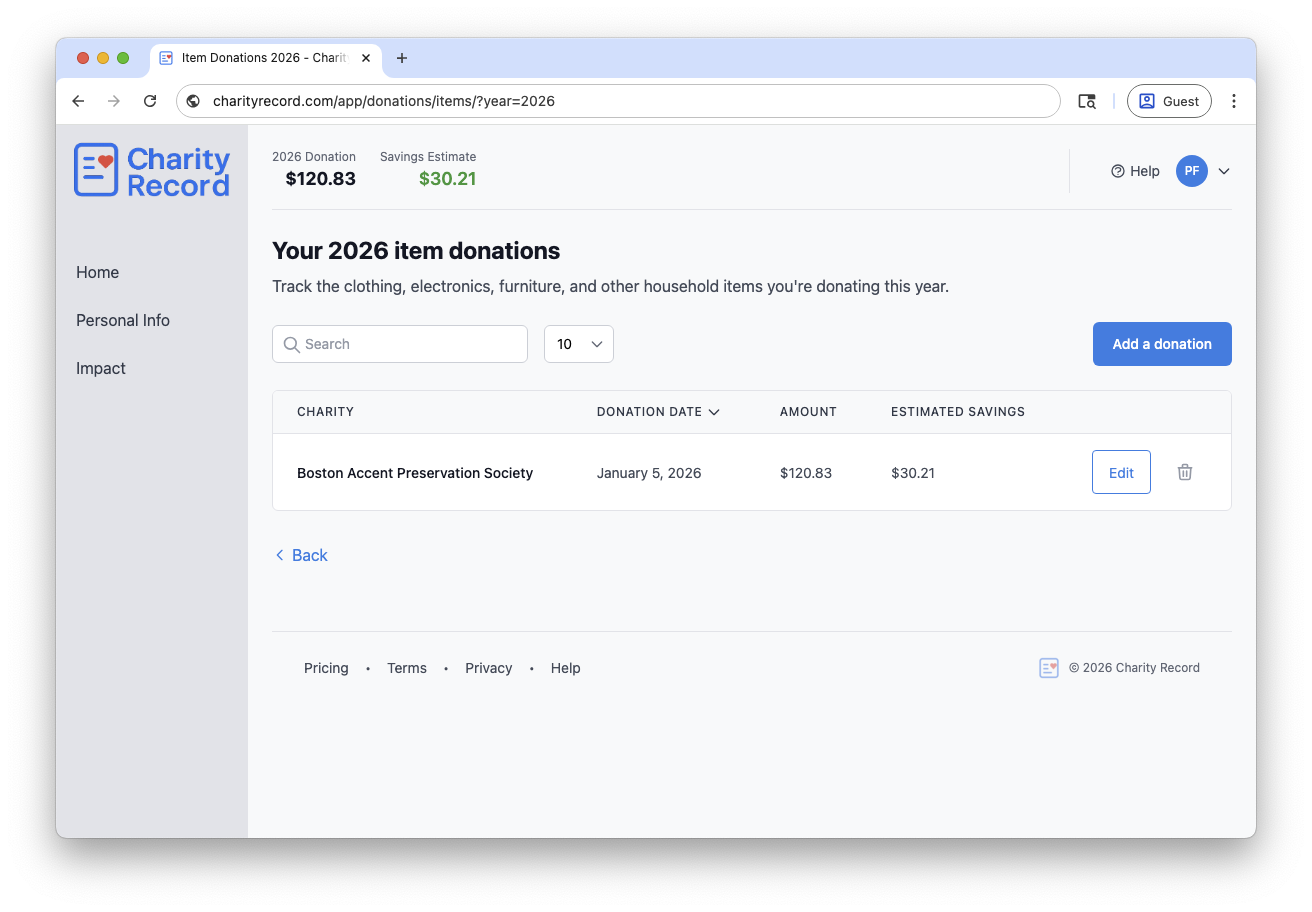
A simple workflow that keeps donations moving
Here's the short version that works for most people, especially if you're often donating items to charities:
- Pick the charity and the date you donated (you can update the date later if you need to)
- Add items using our built-in Fair Market Value database as a starting point, or enter your own value (with a short valuation note) for unique items
- Save and move on
The goal? Remove friction so giving stays easy. Clean records are a bonus.
The real problem: lost entries
Most people don't lose a donation record because they don't care. They lose it because life interrupts: they step away, their session ends, the browser crashes, the dog eats the donation list... that's a lousy feeling when you're trying to do a good thing!
That's why we added autosave to the item donation page. It quietly saves your work in the background so you can pick up where you left off, even when you don't mean to leave off!
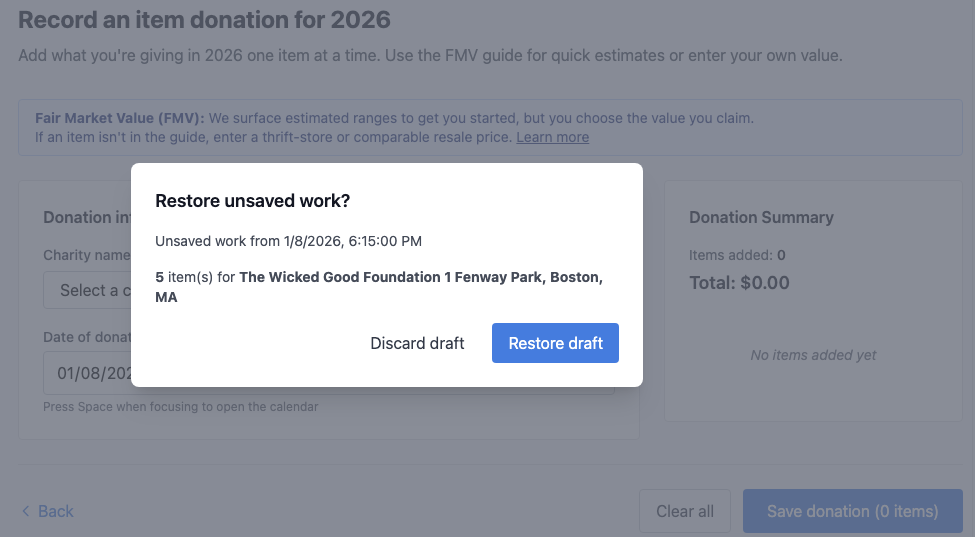
How autosave works
Important: Drafts are saved in your browser. To restore them, use the same device, browser, and account.
If you lost an item donation you were adding
- Go to your dashboard and select the year you were working on
- Find the Items card and click Add
- If a draft exists, you'll see a Restore unsaved work? prompt
- Click Restore draft
Note: Drafts only save after you've added at least one item. If you only picked a charity and date, there's nothing to restore.
If you lost an item donation you were editing
- Go to your dashboard and select the year you were working on
- Open Item donations by clicking View on the Items card
- Click Edit on the donation
- If a draft exists, click Restore draft

Wrap-up
We're trying to make donation tracking feel lighter. Tax records and organization are helpful, but the real win is removing friction so you can focus on what's important: the giving.
So, hopefully you'll never need autosave. But if you do, it's there.
Start tracking item donations with Charity Record →
Charity Record is a donation tracking tool, not a tax advisor. You are responsible for ensuring your records and filings are accurate.
About Charity Record
The Charity Record Team
Ready to track your donations?
Create a free account and start organizing your charitable giving for tax time.
Create Free AccountFree up to $500 in donations. No credit card required.