Charitable Donation Value Calculator: Estimate What Your Donations Are Worth

Charity Record
charityrecord.com/If you donated clothing, furniture, or household items to charity and need to estimate what they're worth for your taxes, you need fair market values.
The IRS defines fair market value, or FMV, as the price a willing buyer would pay a willing seller, with both having reasonable knowledge of the relevant facts (IRS Publication 561). In practice, that means the value an item would fetch at a thrift store or a used marketplace, and not – as sometimes assumed – what you originally paid.
Charity Record has a built-in FMV database with over a thousand common donated items. If your items are in "good used condition or better" (the IRS's standard for clothing and household goods per Publication 526), you can search by name and find estimated values. The values are based on thrift store and comparable sales data, and they're available on any account, including Charity Record's free tier.
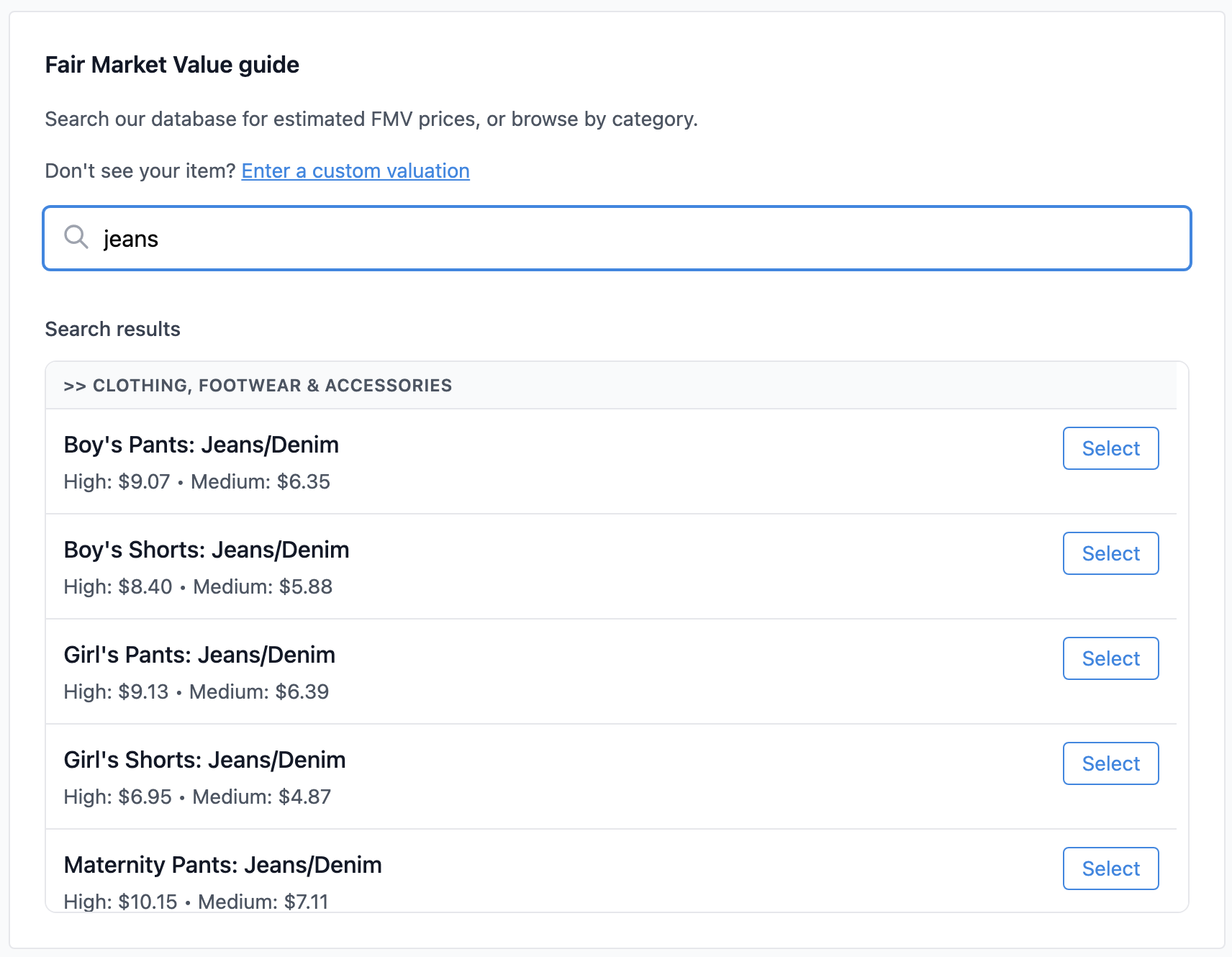 Search by item name to find fair market value estimates
Who are 'we'?
We're Charity Record, a donation tracking tool for US taxpayers built after Intuit shut down ItsDeductible in 2025. We track seven donation types (items, cash, mileage, stock, vehicles, digital assets, and art) and export to CSV, PDF, HTML, and TXF for tax software. See how Charity Record compares as an ItsDeductible alternative.
Our FMV database helps people estimate values for common items. Of course, these are starting points for your records, not appraisals or tax advice. You're responsible for the values you claim, but we'll get you started.
How the FMV database works
When you add an item donation in Charity Record:
- Type the item name in the search field (e.g., "men's jacket" or "blender")
- Browse results showing the item description, suggested value, and condition level
- Pick the match that fits, or enter your own value if nothing matches
The database includes common donated items at typical thrift store prices along with comparative used sales prices and adjustments. For unusual or high-value items not in the database, you can add a custom item with your own value and a note about how you determined it – and you can even choose to submit that item to us for a future version of our FMV database.
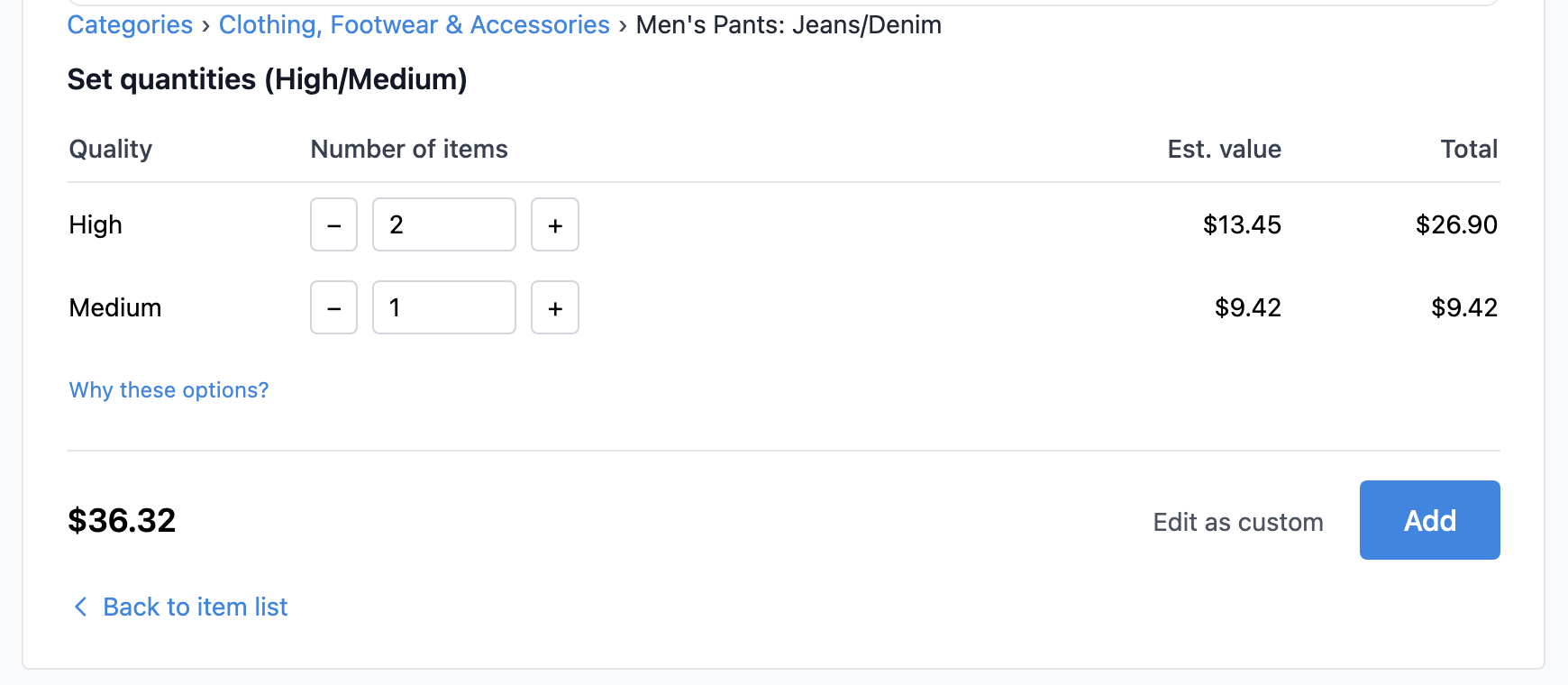 Pick the closest match, set quantities by condition, and see the total
What the IRS says about valuing donations
There are a few rules to keep in mind when valuing donated items. For the full breakdown, see our understanding fair market value guide and IRS Publication 561.
Use what buyers would actually pay, not what you paid. A shirt you bought for $50 might sell for $4 at your local Goodwill. $4 is the FMV, not $50.
Condition matters. IRS Publication 526 says clothing and household items must generally be in "good used condition or better" to qualify for a deduction. Stained, torn, or broken items usually don't qualify. There is a narrow exception: you can deduct an item not in good condition if you claim more than $500 for the item and include a qualified appraisal with your Form 8283 Section B.
Keep notes. Record how you determined each value. If you used a price guide, comparable sales, or estimated valuations based on our FMV database, note that. Photos of items before you donate them can help, especially for higher-value property. Keep any receipts the charity gives you. If the IRS ever asks, you'll want a paper trail. See our receipt requirements guide for what the IRS expects at each dollar threshold.
Don't overvalue. The IRS can disallow deductions and even impose penalties for significant overvaluations (Publication 561 covers the details). Thrift store prices and comparable used sales prices, not new retail prices, are the standard.
What the database covers
The FMV database focuses on items people most commonly donate:
- Clothing (men's, women's, children's outerwear, shirts, pants, shoes, accessories)
- Household items (kitchenware, small appliances, dishes, linens, curtains, decor)
- Furniture (sofas, tables, chairs, desks, bookcases, beds)
- Electronics (older/used TVs, computers, stereos)
- Sporting goods, toys, and games
- Books
For vehicles, stock, digital assets, and art? Valuation works differently. Those types have their own IRS rules and methods. See our understanding FMV guide for a breakdown by donation type.
When you need more than a calculator, even Charity Record's!
All of this generally matters if you're itemizing your deductions. Beginning in tax year 2026, some non-itemizers may also qualify for a limited above-the-line cash contribution deduction under current law (see our 2026 charitable donation tax changes post). If you take the standard deduction and don't qualify for any cash-deduction exception, tracking values is still useful for your own records, but there may be nothing to claim.
For noncash donations under $250, Publication 526 generally requires a receipt from the charity (name/address, date/location, and item description). If a receipt is impractical to obtain – for example, an unattended drop box – keep your own reliable written records with those details, and how you determined value.
Above $250, the requirements get more specific. The IRS has thresholds that trigger additional documentation:
- $250+ (single donation): You need a written acknowledgment from the charity. See receipt requirements.
- $500+ (total non-cash for the year): Form 8283 Section A. See Form 8283 basics.
- $5,000+ (per item or group of similar items): You will usually need a qualified appraisal and Form 8283 Section B, with exceptions (including publicly traded securities).
If you're donating valuable or unusual items, a value estimate isn't enough. Consult IRS Publication 561 and a tax professional.
Already tracking in a spreadsheet?
We know Charity Record isn't the only game in town! If you've been logging donations in Excel, Google Sheets, another spreadsheet, or another app that allows exports, you can import that data into Charity Record.
If you want to bring your donation history over to Charity Record, we accept CSV imports. For items, the minimum columns are: charity name, donation date, item description, quantity, and value. You can include additional columns for condition, custom categories, and notes. See the import format guide for the full column layout.
Import works for all seven of our donation types, if you give in more ways than one: items, cash, mileage, stock, vehicles, digital assets, and art.
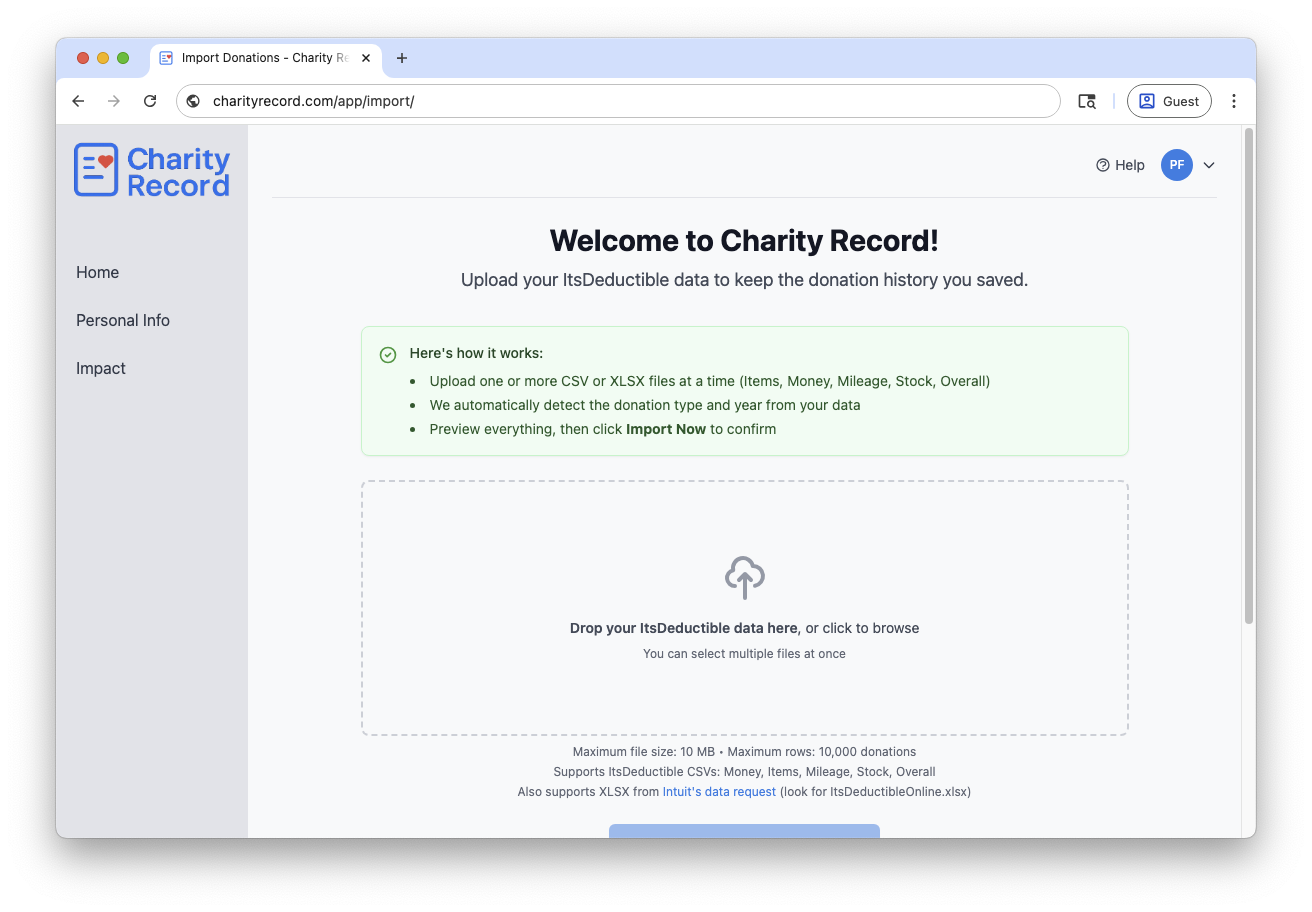 Upload your CSV or XLSX file and preview before importing
From values to your tax return
Once you've tracked your donations and assigned values, you need to get that data into your tax return.
TurboTax Desktop generally supports importing basic details via TXF (though version support can vary, Plus users can export multiple ways). Export from Charity Record, import the file, and review and update. See our TurboTax TXF import guide.
H&R Block Desktop may support TXF import in some versions, with more limitations. See our H&R Block TXF import guide.
TurboTax Online currently doesn't support TXF, and many other web-based tax products don't either. You can use our PDF and HTML exports as a reference while entering donations manually. Totals are already calculated and organized by charity. See sample exports for what you'll get.
Working with a tax preparer, or TXF won't work for you? Export to HTML or PDF and share it or enter what you need. Everything is organized and ready to hand off.
Note: TXF, PDF, and HTML exports are Plus features. CSV export is available to all accounts.
Start looking up values
Charity Record is free up to $500 in donations tracked. Create your account and start using the FMV database to estimate values for your donated items.
Related:
- Understanding Fair Market Value
- How to Track Charitable Donations for Taxes
- Import Format Guide
- TXF Export: What to Expect
- Sample Export Reports
Charity Record is a recordkeeping tool, not tax or legal advice. This post is educational only. Tax rules can change, and deductibility depends on your facts and the tax year you file. Review IRS Publications 526 and 561 and Form 8283 instructions and talk to a qualified tax professional for your specific situation
ItsDeductible is a trademark of Intuit Inc. Charity Record is not affiliated with, endorsed by, or sponsored by Intuit.
About Charity Record
The Charity Record Team
Ready to track your donations?
Create a free account and start organizing your charitable giving for tax time.
Create Free AccountFree up to $500 in donations tracked. No credit card required.