How to Track Charitable Donations for Taxes

Charity Record
charityrecord.com/If you donate to charity and plan to claim a deduction, you need records. The IRS requires documentation for the charitable contributions you claim - and "I donated some stuff to Goodwill" doesn't cut it.
This guide covers what to track, how to value donated items, and how to get your donation data into your tax return.
Why listen to us?
We built Charity Record as an independent donation tracker after Intuit shut down their product ItsDeductible in 2025. Many people tracked donations there and suddenly they didn't have a place to put their charity records (hence our name!).
We've built a fair market value database, TXF export compatibility for tax software, and support for seven donation types (cash, items, mileage, stock, vehicles, digital assets, and art).
If you want to try Charity Record, create a free account - track up to $500 in donations before deciding if it's for you.
What you need to track
The IRS requires different documentation depending on your donation types and amounts.
The big thresholds? $250 requires a written acknowledgment, $500 requires you to fill out Form 8283 for non-cash contributions, and $5,000 in
Cash donations (including checks, credit cards, payroll deductions):
- Amount
- Date
- Organization name
- Receipt or bank/credit card statement
Contributions of $250 or more (cash or non-cash):
- Contemporaneous written acknowledgment from the charity
Non-cash donations under $250:
- Description of items
- Date donated
- Organization name
- Fair market value
- How you determined the value
Non-cash donations $250–$500:
- Everything above, plus
- Contemporaneous written acknowledgment from the charity
Non-cash donations over $500 (per item or group of similar items):
- Everything above, plus
- How and when you acquired the items
- Your cost basis (what you paid)
- IRS Form 8283, Section A
Non-cash donations over $5,000
- Qualified appraisal required (with exceptions such as publicly traded securities)
- Form 8283, Section B
Mileage and out-of-pocket expenses:
- Keep a contemporaneous mileage log (date, miles, purpose, and organization) and receipts for related expenses
For the full requirements, see IRS Publication 526, Publication 561, and the Form 8283 instructions. It's dense but authoritative - we're only scratching the surface here. Of particular note: check out the requirements if you're donating art, collectibles, or vehicles.
How to value donated items
Valuation trips up a lot of people. The IRS says donated items should be valued at "fair market value" - what a willing buyer would pay a willing seller, with both having reasonable knowledge of the facts. We explain this in more detail in our understanding fair market value guide.
In practice, this means thrift store or used marketplace prices. A shirt you paid $50 for isn't worth $50 when you donate it. It's worth what Goodwill would sell it for: maybe $3–8 depending on condition.
Where to find values:
- Salvation Army's donation value guide
- Goodwill's valuation guidelines
- eBay, Poshmark, Facebook Marketplace, or ThredUp for comparable used item sales
- Charity Record's built-in FMV database (which contains estimates for many common items)
Condition matters. The IRS generally allows deductions for clothing and household items only if they are in "good or better" condition; there’s a narrow exception for higher-value items with an appraisal. Stained, torn, or broken items usually don't qualify - and overvaluing items is a red flag for the IRS. 🚩
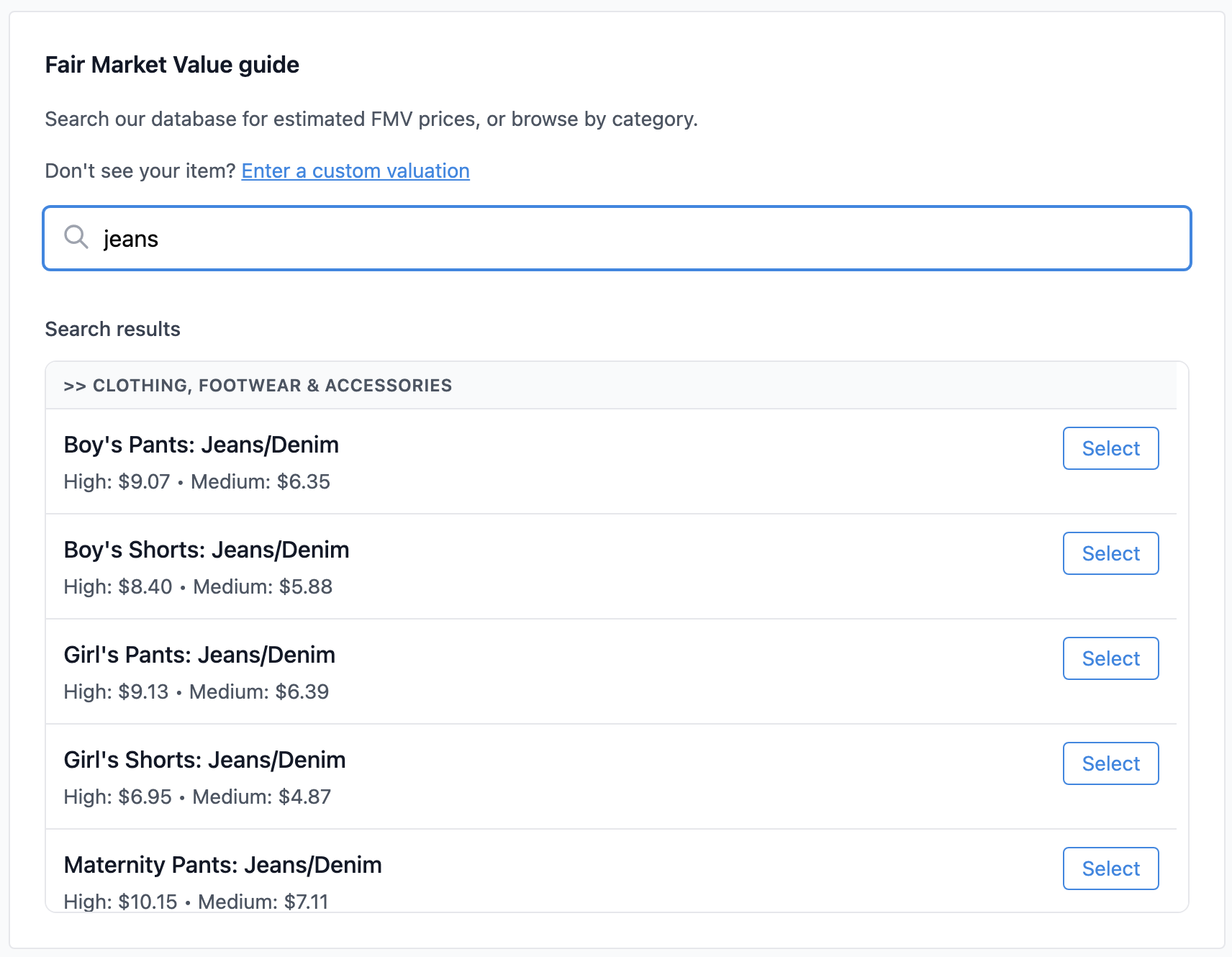 Charity Record's FMV database covers thousands of common donated items
Tracking methods
This is where you have a choice. There's a whole wide range of options for tracking your charitable donations, from free-but-tedious to purpose-built tools (like, ahem, Charity Record). The right choice depends on how many donations you make, how much time you want to spend at tax time, and your own propensity for organizing past years' records.
Spreadsheets
The free option - a charitable donations spreadsheet - works but is time-consuming. You'll need columns for date, organization, item description, quantity, value, and condition. At tax time, you'll manually total everything, aggregate by charity and date, and enter the totals into your tax software (or pass them off to your tax preparer).
The main advantage is flexibility - you can track what you want. The downside? You're doing all the value lookups, calculations, and organization yourself.
Paper logs
The IRS accepts handwritten records, but they're hard to search, easy to lose, and you'll need to transcribe everything at tax time anyway. Paper logs are not recommended unless you make very few donations.
Dedicated tracking software
Tools built for donation tracking handle the tedious parts: looking up fair market values, organizing by charity, generating tax reports. The tradeoff is learning a new tool, getting data into it, and figuring out how to get it out come tax time.
Charity Record helps with exactly this. You log your donations throughout the year - items, cash, mileage, stock, vehicles, digital assets, and art - and at tax time export to PDF, HTML, TXF (for TurboTax Desktop and H&R Block), or CSV for spreadsheets.
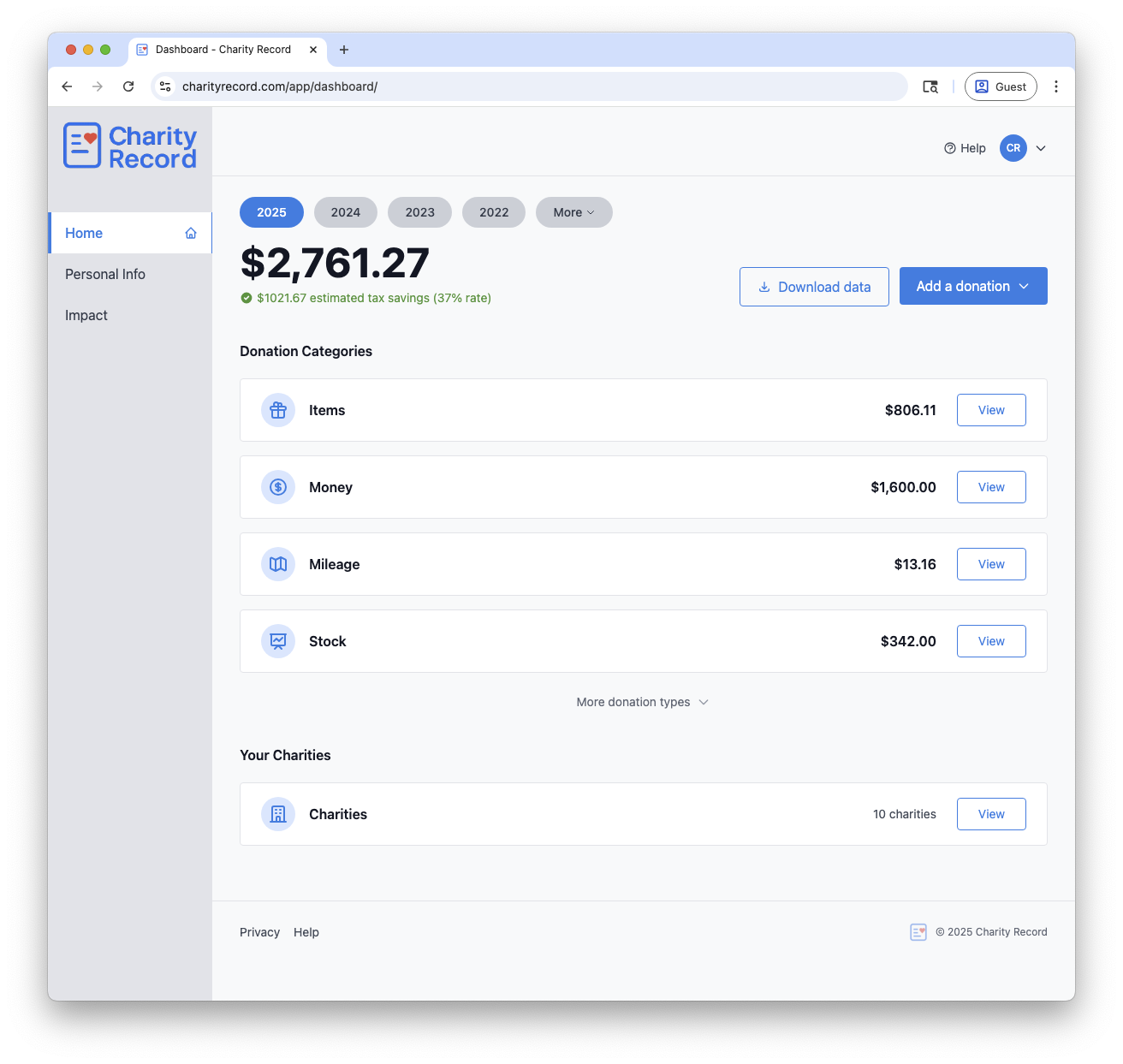 The dashboard shows your donations organized by charity
What happened to ItsDeductible?
Intuit's ItsDeductible was the gold-standard donation tracker for years. It shut down on October 21, 2025. Charity Record is your 2025 tax season alternative to ItsDeductible.
If you used ItsDeductible, your data is still available through Intuit's data export process. We have a step-by-step guide to exporting your ItsDeductible data and importing it into Charity Record. Once you get that file, we'll help you take it from there.
Tax software makers don't seem interested in rebuilding this feature. It makes sense - donation tracking is a year-round need, not something that fits cleanly with tax software economics.
Additionally, there are storage requirements. The IRS says to keep records as long as needed to prove your deduction, and if you have a charitable contribution carryover you should keep records until it’s fully used (see IRS recordkeeping guidance). That's left a gap that dedicated tools now fill - and why we built Charity Record to both track your donations and store your donation history.
Getting donations into your tax return
Once you've tracked your donations, you need to get them into your tax return. If you itemize, charitable contributions go on Schedule A. Starting in 2026, there may also be limited cash deductions even if you don't itemize - we cover that in our 2026 charitable changes post.
How donations get into your return depends on your tax software:
TurboTax Desktop: Import a TXF file. TurboTax Desktop supports TXF import (see TurboTax's instructions). Charity Record exports to TXF format that TurboTax reads. See our TurboTax TXF import guide. Depending on your donations, you might also want to use our HTML or PDF exports as a reference.
TurboTax Online: You'll enter donations manually. TurboTax Online doesn’t support TXF imports, but our PDF and HTML exports give you everything you need - organized by charity with totals already calculated. See: Intuit community thread.
H&R Block Desktop: The desktop download version supports TXF import; look for File -> Import Financial Information and verify your version supports it (see CoinLedger's guide). See our H&R Block TXF import guide for the details.
Manual entry: If your software doesn't support import, you can use PDF, HTML, or CSV exports as a reference while entering donations manually. Check out our sample export reports to see what you'll get - we have a few options for grouping and aggregating your donations.
Year-end checklist
Before you file, run through this checklist to make sure your documentation is solid (see IRS Topic 506 for the full rundown):
- [ ] Keep bank records or receipts for all cash donations
- [ ] For any contribution of $250 or more (cash or non-cash), have a contemporaneous written acknowledgment
- [ ] Make sure non-cash items are in "good or better" condition (or have an appraisal if required)
- [ ] Keep fair market values realistic (think thrift store prices, not retail)
- [ ] For non-cash donations over $500, complete Form 8283; over $5,000, get a qualified appraisal
- [ ] Confirm the charity is eligible using the IRS Tax Exempt Organization Search
- [ ] If you claim mileage, keep a mileage log and related receipts
Missing contemporaneous documentation is the most common reason charitable deductions get disallowed. Better to catch gaps now than when you need them!
Start tracking
The best time to start tracking donations for the year was January 1. The second best time? Now.
Whether you're starting from scratch or have existing data to import, Charity Record will make tax time easier. Our free tier lets you track up to $500 in donations - enough to see if it fits your workflow before you commit.
Tax laws are complex. This post is information, not advice - talk to a qualified tax professional for your specific situation.
ItsDeductible is a trademark of Intuit Inc. Charity Record is not affiliated with, endorsed by, or sponsored by Intuit.
Related:
About Charity Record
The Charity Record Team
Ready to track your donations?
Create a free account and start organizing your charitable giving for tax time.
Create Free AccountFree up to $500 in donations. No credit card required.