Recording Item Donations
Summary: Record household items, clothing, furniture, and other non-cash goods you donate to charity. Use our FMV guide for quick estimates or enter your own values.
What is an item donation?
Item donations include clothing, furniture, electronics, kitchenware, and other household goods you give to charity. Common recipients include charitable thrift stores such as Goodwill and Salvation Army, plus other qualified 501(c)(3) organizations. Donations are deductible only if the organization is qualified.
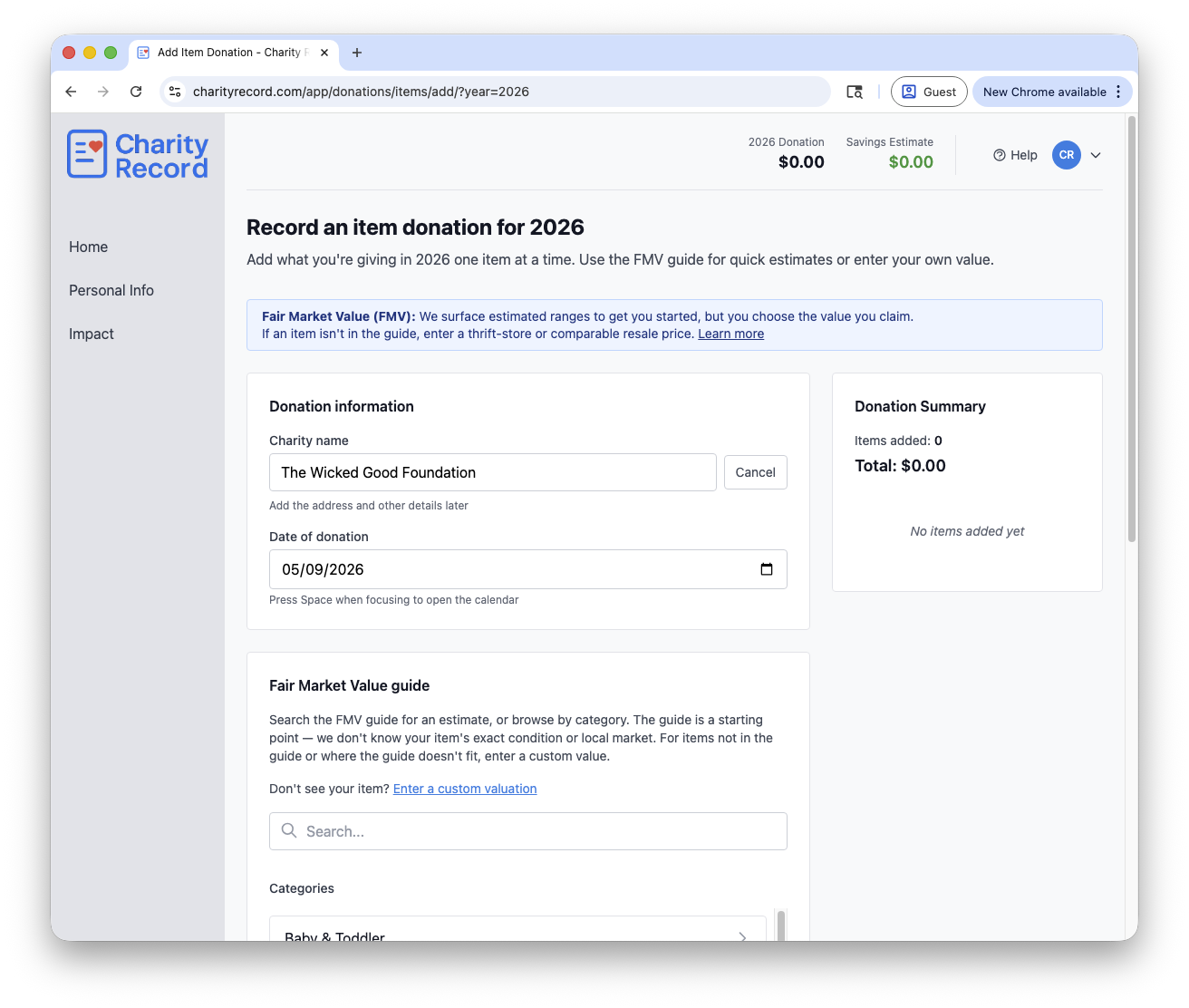 The item donation form with FMV guide and donation cart
Tip: You can type a new charity name directly in the form, then add the address and other details later from your Charities list.
Fair Market Value (FMV)
IRS Publication 561 defines Fair Market Value (FMV) this way: "FMV is the price that property would sell for on the open market."
For donated items, that usually means a supported resale value for the item on the donation date, taking condition and market evidence into account.
How to determine FMV for donated items
- Thrift store prices: What similar items sell for at Goodwill, Salvation Army, or other thrift stores
- Online marketplaces: Check eBay, Facebook Marketplace, Amazon (used), or Craigslist for comparable items
- Valuation guides: Use our FMV guide as a starting point. The guide is updated each year and guides from 2026 forward are based on published economic indices (for example, CPI), charity valuation guides, and resale marketplace data. For more on how guides change, see How the FMV guide changes year to year
- Original cost: Consider the original purchase price, age, and condition (more on cost basis)
Your responsibility
Charity Record does not provide tax advice. You are ultimately responsible for the valuations you claim on your tax return. The FMV guide contains estimates and starting points, but we cannot know your item's exact condition, your local market conditions, or whether your item qualifies for a deduction. You should always:
- Verify values are reasonable for the item's condition and market
- Keep documentation that supports your FMV (photos, receipts, and comparable listings are helpful)
- Check whether Form 8283 or a qualified appraisal is required when your non-cash deductions cross IRS thresholds. (If you use tax software, it will often remind you of this requirement.)
Use supportable values
Use a value you can support with condition notes, receipts, photos, or comparable sales. The IRS can challenge inflated valuations.
See IRS Publication 561 for official guidance on determining the value of donated property. Charity Record does not provide tax advice.
Quality options
According to IRS Publication 526, donated clothing and household items must be in good used condition or better to qualify for a tax deduction.
Quality levels in Charity Record
- Excellent: Like new, with little or no visible wear
- High: Good used condition with light wear
- Medium: Good usable condition with moderate wear
- Other: Less than good used condition (so below the Excellent / High / Medium tiers). Available only for custom items, with your own explanation in your valuation notes. For clothing and household items, the IRS exception applies only to a single item where you claim more than $500, with a qualified appraisal and Form 8283 Section B. See the exception below.
Not every item in the FMV guide supports all three of Excellent / High / Medium. Some items have one or two prices, and the picker only shows the tiers that have a guide value.
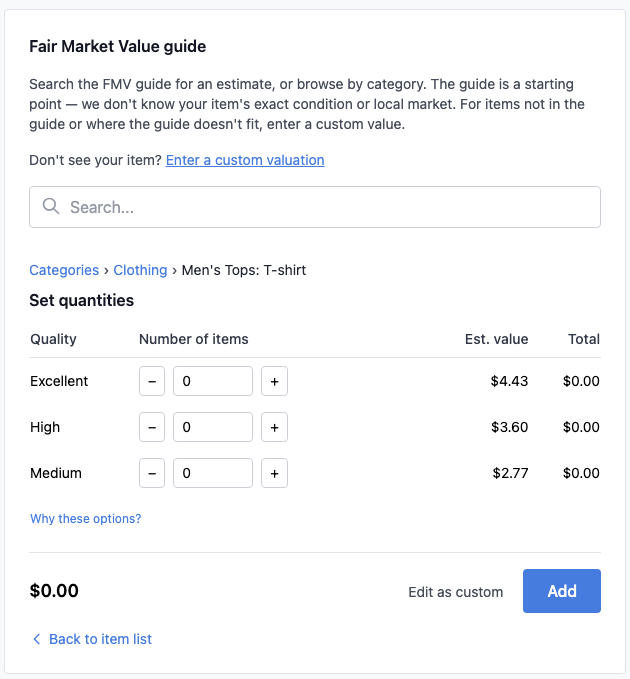 Select the quality level that matches your item's condition
Exception: Items not in good used condition
You can deduct a clothing or household item in less than good used condition if all of these apply:
- You claim a deduction of more than $500 for that single item
- You obtain a qualified appraisal and attach it to your tax return
- You file Form 8283 Section B with your tax return
To record a less-than-good item: add it as a custom item, select Other, and add an explanation in the Valuation notes field.
See IRS Publication 526 and the Form 8283 instructions for complete requirements.
The FMV guide
Our FMV guide provides estimated starting point values for common donated items. Items in the 2026 guide may have one, two, or three tiers depending on the available pricing support. For how those values and tiers are built, see How the FMV guide works. Browse by category or search for specific items.
Browse categories
Click a category to see available items and their estimated values.
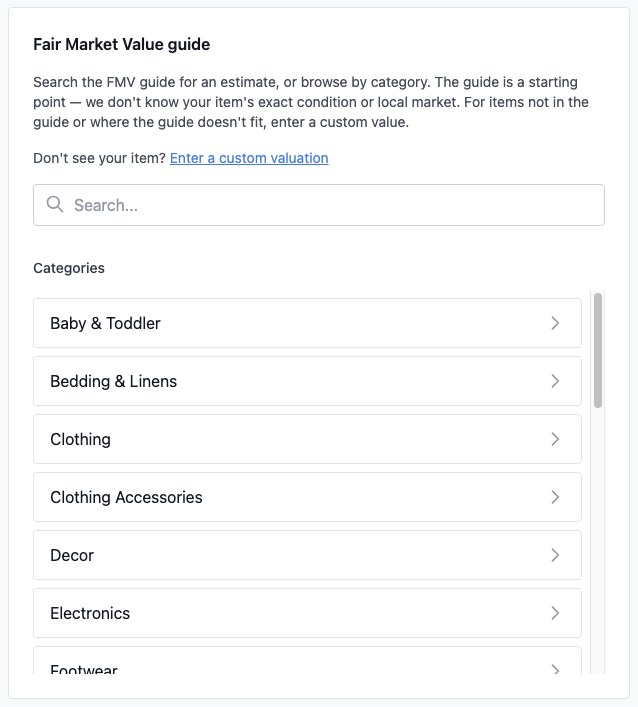 Browse categories to find your item type
Search for items
Type a keyword to search across all categories. For example, search "jeans" to find all jeans-related items.
For newer guides (2026 and later), search also matches common alternate names. For example, "Boppy" finds Nursing Pillow and "Faux Plant" finds Artificial Plant.
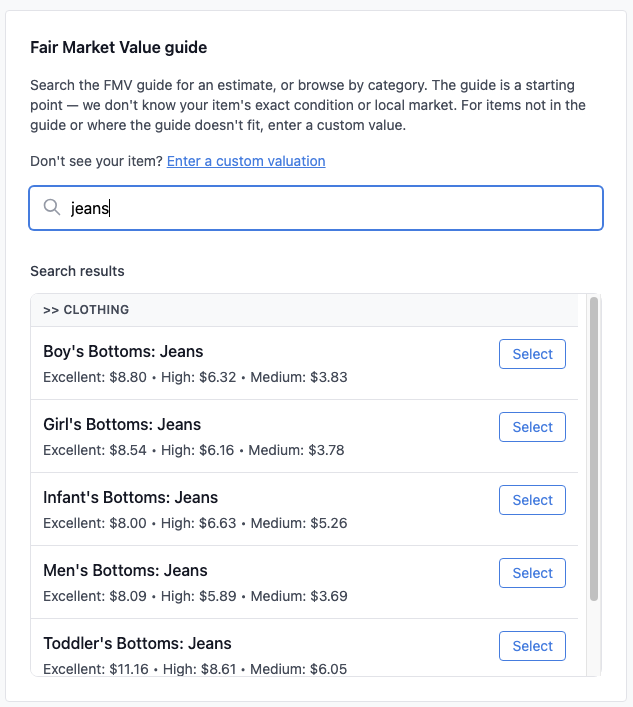 Search results show matching items with price ranges
Add from the Charity Record guide
Select your item, choose quantity and quality levels, and click Add. The estimated FMV from the Charity Record guide is automatically added.
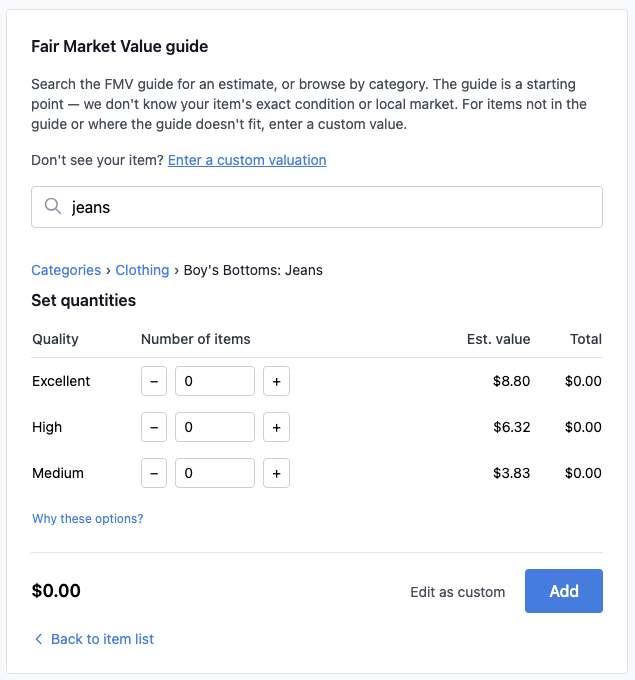 Select quantity and quality, then add to your donation
See IRS Publication 561 for official valuation guidance.
Custom items
If your item isn't in the FMV guide, add it as a custom item with your own description and value.
For a full walkthrough, see Custom items and submitting items to the guide.
When to use custom items
- Items not in the FMV guide (for example, luxury or specialty items)
- Items where you have better comparable sales data
- Items in less than good used condition (select Other quality)
Add a custom item
- Click Add Custom Item
- Enter a description
- Select quality level
- Enter quantity and FMV per item
- (Optional) Add valuation notes explaining your FMV source
- Click Add to donation
You can also optionally submit a custom item suggestion for future guide review. See Custom items and submitting items to the guide for details on what gets submitted and how to turn that option off.
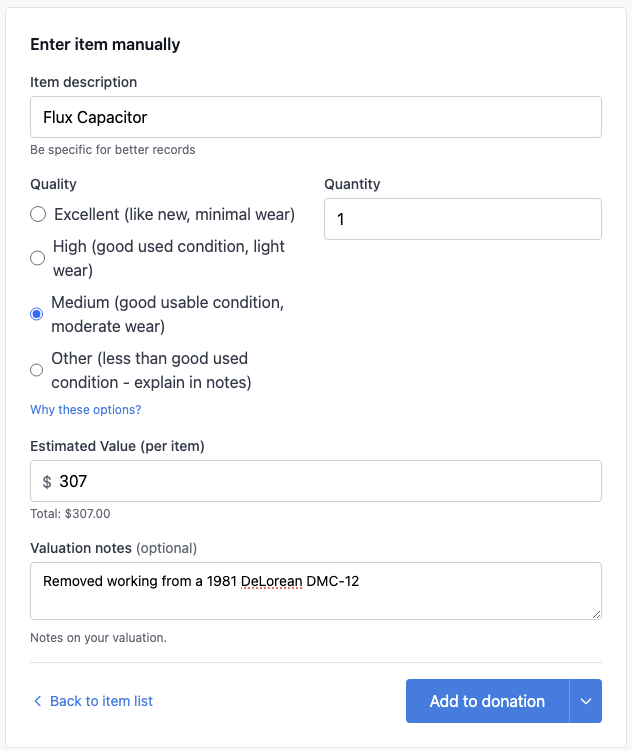 Enter description, quality, quantity, and your determined FMV
Valuation notes
Use the Valuation notes field to document how you determined the FMV. Examples:
- "Comparable eBay sold listings $45-60"
- "Thrift store prices for similar items $20-25"
- "Professional appraisal on file dated 1/15/2025"
This helps if the IRS ever questions your valuation.
See IRS Publication 561 for valuation methods.
Your donation summary
As you add items, your donation cart shows the running total in the right sidebar.
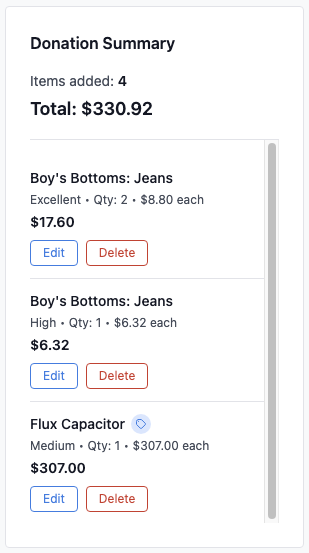 Your cart tracks all items and calculates the total automatically
Managing items
- Edit: Click Edit on an item to modify quantity, quality, or value
- Delete: Click Delete to remove an item from your donation
- Clear all: Remove all items and start fresh (button is located below the form)
Saving your donation
Click Save Donation below the form.
Record keeping
You are responsible for any additional documentation for your item donations. IRS substantiation rules depend on the size and type of the contribution. For more on Form 8283 specifically, see our Form 8283 Basics guide.
Contributions of $250 or more (per donation)
You must obtain a contemporaneous written acknowledgment from the charity. It needs to describe the property and state whether you received any goods or services in return.
Non-cash deductions over $500
If your total deduction for non-cash contributions is more than $500, you must file Form 8283. Many item donations at this level are reported in Section A. You should also keep records of how and when you acquired the item and your cost or other basis.
Non-cash deductions over $5,000
If your deduction for an item or group of similar items is more than $5,000, you generally must obtain a qualified appraisal and file Form 8283 Section B (with the charity's signature), unless an exception applies.
Clothing or household items not in good used condition
If a single clothing or household item is not in good used condition and you deduct more than $500, you must obtain a qualified appraisal and attach it to your return, and complete Form 8283 Section B.
See IRS Publication 561, IRS Publication 526, and the Form 8283 instructions for complete requirements.
Charity Record is a donation tracking tool, not a tax advisor. This article summarizes publicly available IRS guidance to help you use our software. You are responsible for ensuring your tax filings comply with IRS requirements. For complex situations, consult a tax professional for advice specific to your situation.