How to Print and Export Individual Donation Records

Charity Record
charityrecord.com/If you track your charitable donations for your taxes, at some point you'll want a donation summary or record. Maybe your tax preparer asks about a particular contribution, or you want a printed summary of a drop-off you made last month. Or maybe you just want something to keep alongside your donation receipts.
It's your lucky day – Charity Record has got you covered.
Charity Record is a donation tracker that lets you export individual donation reports directly from your donation list. Individual donation export is now available from each donation row. Track your donations throughout the year, then print or download summaries when you need them.
What you can export
You can export a donation summary for any donation in Charity Record. Just click the Download button on the donation list page and you'll see three options:
- Export CSV – Downloads a spreadsheet file with your donation details. Opens in Excel, Google Sheets, or any spreadsheet app. Free for all accounts.
- Export Report (HTML) – Opens a formatted donation summary in your browser. Click Print to print it directly. (Plus plan feature.)
- Export Report (PDF) – Downloads a formatted report. Great for sharing with a tax preparer or saving to your files. (Plus plan feature.)
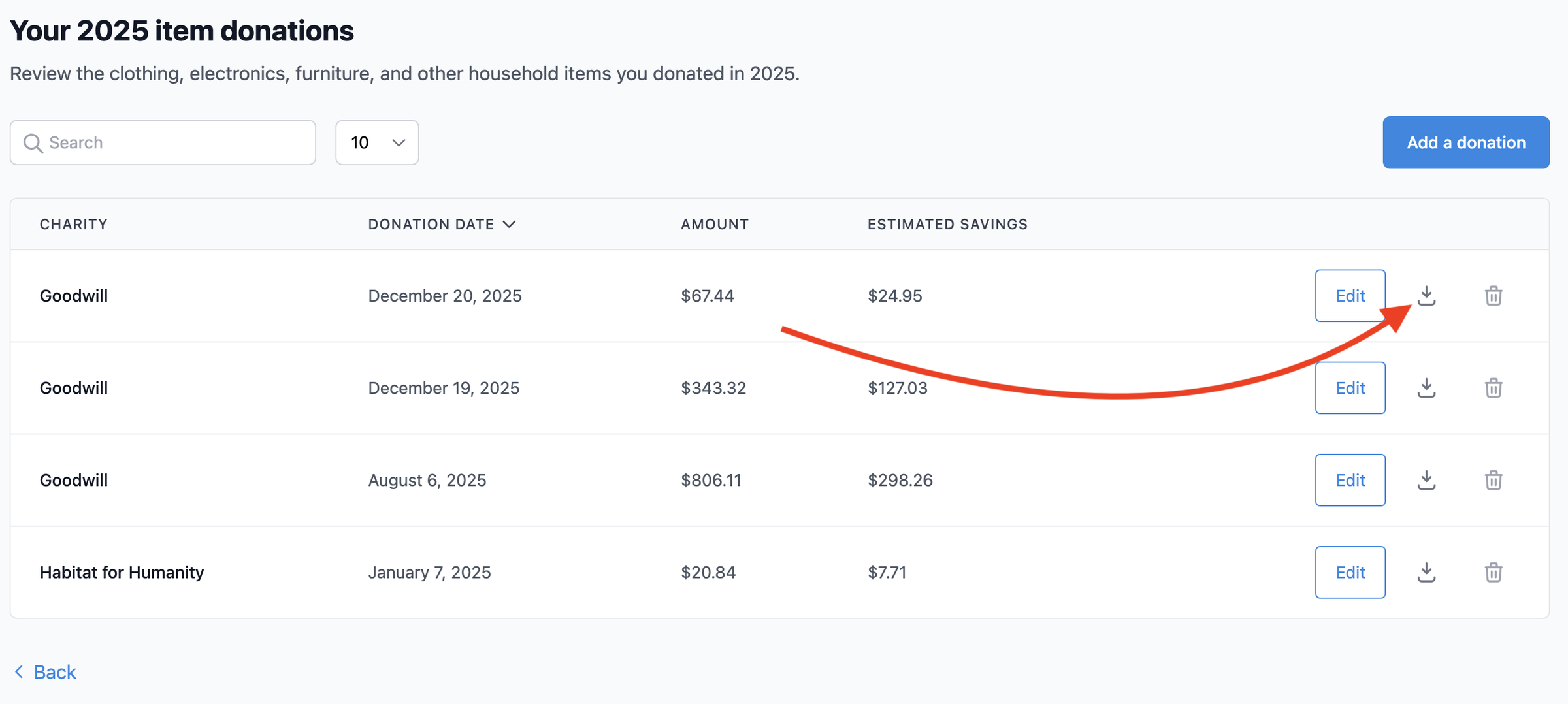 Click the download button on any donation row to export that donation
CSV exports are available to all accounts, including free accounts. If you want to create your own formatted summary, export to CSV and arrange it in your spreadsheet program.
How it works
Here, we'll assume you already entered a donation in Charity Record. If you haven't, see our item donations guide for a walkthrough. Then, starting from your Charity Record dashboard:
- Go to any donation list (click View on a donation type card from your dashboard)
- Find the donation you want
- Click the Download button on that row
- Pick your format
You'll get a summary covering the charity, date, items or amounts, and any details you entered (condition, cost basis, valuation notes, and so on). It works the same for all donation types we support – items, cash, mileage, stock, vehicles, digital assets, and art. For item donations, it will include fair market values you entered or estimated based on our donation value database, along with a trip total.
Need a full year export instead? Year-wide exports (PDF, HTML, CSV, and TXF for tax software) are available from Download data on your dashboard. See Exporting and printing donations for the full lineup.
A note on IRS documentation
The IRS requires records for charitable contributions you claim. For donations of $250 or more, you generally need a contemporaneous written acknowledgment from the charity – that's a letter or receipt from the organization confirming your contribution.
The IRS has specific requirements: see IRS Publication 1771 and Publication 526.
Charity Record is a donation tracking tool, not tax software. The reports you export from Charity Record are your personal records of what you donated, and we reflect your entries back to you when you need them. Keep in mind: our reports don't replace the written acknowledgment the IRS requires from the charity itself. Keep your charity receipts and acknowledgment letters alongside your Charity Record exports.
Of course, having organized records of your own makes your records complete and your tax season simpler. When your tax preparer asks "what did you donate to Goodwill in March?" you'll have an answer handy.
Start tracking
Charity Record is free for up to $500 in donations. CSV exports are included with every account, including free accounts. Create your account and start logging your donation records.
Charity Record is a donation tracking tool for U.S. taxpayers, not a tax advisor. You are responsible for ensuring your records and filings are accurate.
Related:
About Charity Record
The Charity Record Team
Ready to track your donations?
Create a free account and start organizing your charitable giving for tax time.
Create Free AccountFree up to $500 in donations. No credit card required.